Attendance tracking used to mean one thing: a biometric machine bolted to the office wall. But the workforce has changed. Field sales teams, delivery staff, remote employees, and multi-branch businesses can’t rely on a single fixed device anymore. That’s where mobile attendance software comes in — letting employees mark attendance from wherever they actually are, using nothing more than their phone.
In this guide, we’ll cover what mobile attendance software actually does, how it compares to traditional biometric systems, what features actually matter, and how a connected platform like Timeexa turns attendance data into accurate payroll — automatically.
Mobile attendance software is a system that lets employees check in and check out using a smartphone app, instead of a fixed biometric device. Depending on the setup, employees can mark attendance through a selfie, GPS location capture, or a QR code scan at the workplace — all recorded instantly on a central dashboard.
Unlike a traditional mobile attendance system tied to one physical location, this approach works anywhere employees are: office, client site, warehouse, or home. For HR and operations teams, that means one unified view of attendance across the entire organization, regardless of where people are actually working from.
At its core, a strong mobile attendance app handles three things:
- Captures attendance accurately — through selfie verification, GPS stamping, or QR check-in, so there’s no ambiguity about who checked in, when, and from where.
- Prevents proxy attendance — face verification and location tagging make it far harder for one employee to mark attendance for another.
- Feeds data instantly into reporting and payroll — no manual export, no delayed sync, no reconciliation at month-end.
How Mobile-Based Attendance Actually Works
The process is simpler than most teams expect, and it typically follows four steps:
Step 1 — Check-in. The employee opens the app and checks in using a selfie (matched against their profile photo), a GPS location stamp confirming they’re at an approved site, or a QR code placed at the workplace.
Step 2 — Verification. The system cross-checks the selfie for face match and validates that the GPS location falls within the approved geofence, preventing proxy or remote fake check-ins.
Step 3 — Sync. Attendance data updates instantly on the central dashboard — visible to HR, managers, and admins in real time, not after a manual upload.
Step 4 — Reporting & Payroll. The same attendance data feeds directly into leave tracking, shift reports, and payroll calculation, eliminating the need for manual reconciliation between attendance and salary processing.
This is what separates true mobile based attendance from a simple “check-in button” app — the data doesn’t just sit in a log, it actively drives HR decisions and payroll accuracy.
Why Businesses Are Moving From Fixed Devices to Mobile Attendance
A biometric machine at the office door works fine — until your workforce doesn’t fit inside one office. Here’s where fixed devices start to fall short:
- Field and sales teams have no fixed location to check in from.
- Multi-branch businesses would need a separate device at every branch, with no unified real-time view.
- Remote and hybrid employees simply can’t reach a physical machine at all.
- Hardware costs and maintenance add up quickly across multiple locations.
- Delayed data sync from biometric devices means HR often only sees attendance issues after the fact, not in real time.
A mobile attendance app solves all of this by turning every employee’s smartphone into a secure check-in point, with data flowing to a central dashboard the moment it’s captured — not hours or days later.
Benefits of Mobile Attendance Software for Your Business
Not every attendance app on the market is built for real business use. When evaluating one, these are the features worth prioritizing:
- Selfie-based check-in with face verification — stops buddy-punching and proxy attendance.
- GPS geofencing — restricts check-ins to approved locations, ideal for field staff and multi-branch teams.
- QR code check-in — a fast, low-friction option for office-based teams without needing hardware.
- Real-time dashboard — gives HR and managers live visibility into who’s checked in, late, or absent, across every location.
- Leave and shift integration — attendance automatically reflects approved leaves and assigned shifts, without manual adjustment.
- Offline mode — allows check-ins to sync once the employee’s connection is restored, useful for field teams in low-network areas.
- Payroll-ready data export — attendance records flow directly into salary calculation without manual re-entry.
A platform built around all of these — rather than a standalone check-in app — is what actually makes a difference operationally. This is the approach behind Timeexa’s mobile attendance app, designed to work as part of a connected attendance and payroll ecosystem rather than an isolated tool.
Mobile Attendance vs. Biometric vs. Cloud — Which Setup Fits Your Team?
Most growing businesses don’t need to choose just one method — they need the flexibility to combine them based on where their teams actually work:
- For office-based staff who check in from the same location daily, a biometric attendance system using fingerprint or facial recognition remains the most tamper-proof option.
- For businesses managing multiple branches, a cloud attendance software setup gives a single dashboard view across every location, with data synced in real time.
- For sales, delivery, or field service teams constantly on the move, GPS workforce tracking ensures check-ins are tied to verified locations, not guesswork.
- For payroll teams tired of manually reconciling attendance with salary sheets, a connected payroll management software turns attendance data directly into accurate payslips.
- For businesses that also need visitor and contractor tracking on-site, a visitor management system adds that layer alongside employee attendance.
The real advantage comes from having all of these under one platform — attendance captured through any method still flows into the same payroll engine, with no duplicate data entry or manual syncing between tools.
Mobile Attendance vs Biometric Machine — Which is Better?
| Feature | Mobile Attendance App | Biometric Machine |
|---|---|---|
| Works for remote employees | Yes | No |
| Works for field employees | Yes | No |
| GPS location tracking | Yes | No |
| Selfie verification | Yes | No |
| No hardware needed | Yes | No |
| Works from anywhere | Yes | No |
| Leave management | Yes | Limited |
| Real-time dashboard | Yes | Limited |
| Payroll integration | Yes | Yes |
| Cost | Low | High |
| Setup time | Minutes | Days |
The answer is clear — for modern businesses with diverse workforces, mobile attendance software is the smarter choice.
Why Timeexa is the Best Mobile Attendance Software in India
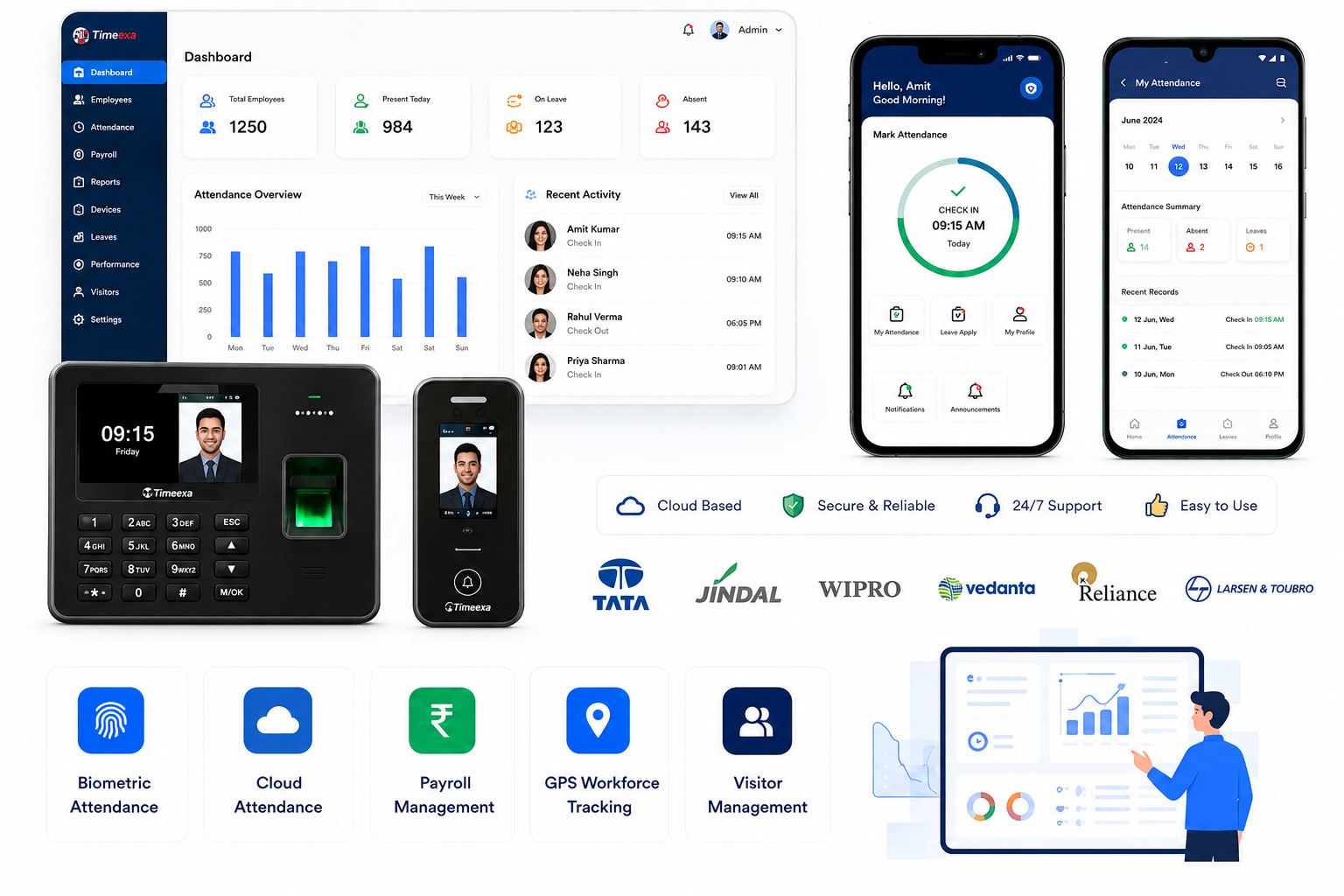
Timeexa’s mobile attendance app is built specifically for Indian businesses — designed to be simple, reliable, and affordable for teams of all sizes.
Selfie Attendance — Employees take a selfie to mark attendance. Face verification ensures complete authenticity with zero proxy attendance.
GPS Tracking — Every attendance entry is tagged with the employee’s exact GPS location, giving managers complete visibility over their field workforce.
Geo-Fencing — Define approved attendance zones for each office, site, or client location. Employees can only mark attendance from within the approved area.
QR Code Check-In — For offices that prefer a contactless solution, QR code attendance is available as an alternative to selfie check-in.
Leave Management — Employees apply for leave from the app. Managers approve with one tap. Attendance records update automatically.
Real-Time Dashboard — See live attendance data for your entire team from your phone or laptop — anytime, anywhere.
Auto Payroll — Attendance data connects directly with Timeexa’s payroll module for automatic, error-free salary calculation at month end.
Works on Any Phone — Android or iOS, any smartphone works. No special device needed.
Timeexa’s mobile attendance system is trusted by 5000+ businesses across India — from small startups in Lucknow to large enterprises managing thousands of employees across multiple cities.
Whether your team works in an office, from home, or in the field — Timeexa’s mobile attendance software gives you complete control over your workforce attendance from the palm of your hand.
Pricing — What Should You Expect to Pay?
Mobile attendance software pricing typically depends on team size, the check-in methods you need (selfie, GPS, or QR), and whether you also need payroll and multi-branch features bundled in.
Timeexa offers four transparent plans that scale with your team:
- Starter Plan — Free (first year): Built for small offices, clinics, retail shops, and startups with up to 50 employees. Includes unlimited biometric devices, employee and attendance management, a live attendance dashboard, and cloud hosting. Renewal is ₹999/year from the second year, complimentary in year one with a supported biometric device purchase.
- Business Plan — ₹499/month: For SMEs, schools, hospitals, and manufacturing units with up to 250 employees. Adds leave, holiday, and shift management, duty roster planning, payroll export, and advanced attendance reports.
- Professional Plan — ₹999/month: For multi-location organizations and growing enterprises with up to 1,000 employees. Adds mobile app access, an Employee Self-Service (ESS) portal, attendance correction workflow, remote employee synchronization, and WhatsApp integration support.
- Enterprise Plan — ₹2,499/month: For large enterprises and factories with up to 5,000 employees. Adds API access, webhook and ERP/HRMS integration, single sign-on (SSO), custom reports, and a dedicated account manager with SLA-based support.
Since mobile app access sits in the Professional and Enterprise tiers, businesses planning to roll out mobile-based check-ins across a field or remote team should evaluate those plans specifically. Full details and the latest rates are available on Timeexa’s pricing page, and most teams start with a free demo before choosing a plan.
Making the Switch to Mobile Attendance
Rolling out mobile attendance software across a team is usually faster than businesses expect:
- App setup — employees are added to the system and the app is installed on their phones.
- Geofence and check-in method configuration — HR defines approved locations and selects selfie, GPS, or QR check-in.
- Parallel run — the mobile app runs alongside any existing attendance method for one cycle to validate accuracy.
- Full rollout — once validated, mobile check-in becomes the primary or supporting attendance method across the team.
Most businesses complete this rollout within one to two weeks, with minimal disruption to daily operations.
Final Thoughts
As workforces spread across offices, field locations, and remote setups, fixed biometric devices alone can’t keep up. Mobile attendance software gives businesses a flexible, accurate way to track attendance anywhere employees actually work — while still feeding directly into payroll, leave management, and real-time reporting.
Whether your team is entirely office-based, fully remote, or a mix of both, Timeexa’s mobile attendance app works alongside biometric and cloud attendance systems to give you one connected view. Check out flexible pricing plans and book a free demo to see how mobile attendance fits your team.
Our Products
Complete Workforce Management Solutions

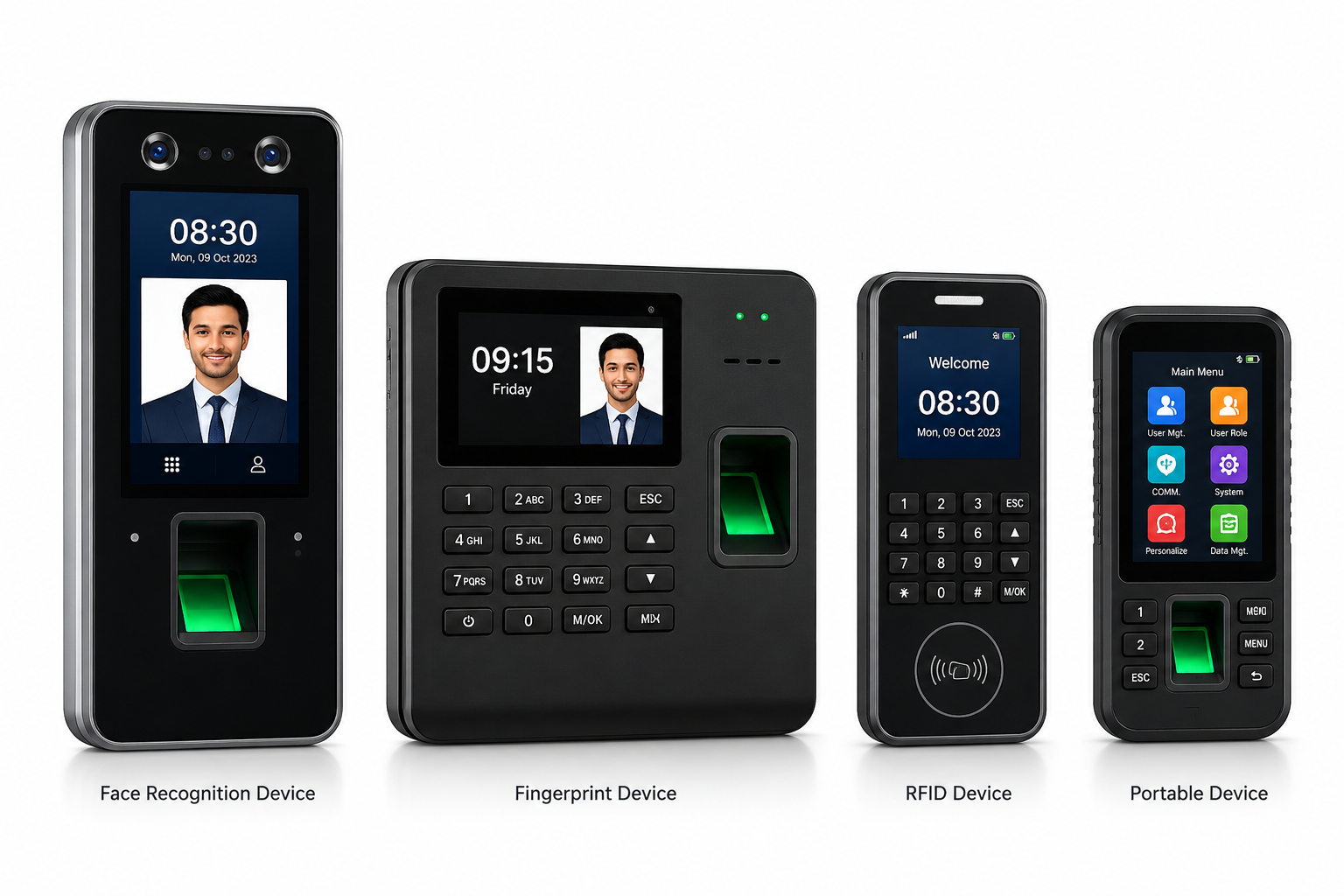
Biometric Attendance System
Advanced biometric attendance solution supporting face recognition, fingerprint authentication, RFID cards, QR code attendance, and real-time cloud synchronization.
- Face Recognition Attendance
- Fingerprint Attendance
- RFID Card Support
- QR Code Attendance
- Real-Time Cloud Sync

Cloud Attendance Software
Manage employee attendance, shifts, leave, holidays, and reports securely from anywhere using our scalable cloud attendance platform.
- Multi-Company Management
- Multi-Branch Support
- Employee Self Service
- Attendance Dashboard
- Leave Management

Payroll Management Software
Automate payroll calculations, overtime management, salary processing, and payslip generation integrated directly with employee attendance data.
- Salary Automation
- Overtime Calculation
- PF & ESI Support
- Payslip Generation
- Payroll Reports

GPS Workforce Tracking
Track field employees, technicians, delivery staff, drivers, and remote teams using GPS-enabled attendance and real-time location monitoring.
- Live Location Tracking
- Geo-Fencing
- Route Monitoring
- Visit Tracking
- Mobile Attendance
Mobile Attendance App
Allow employees to mark attendance directly from mobile devices using selfie verification, GPS location tracking, and geo-fencing.
- Selfie Attendance
- Geo Attendance
- Mobile Attendance
- Leave Requests
- Attendance History

Visitor Management System
- Visitor Registration
- OTP Verification
- Visitor Pass Printing
- Employee Approval Workflow
- Reception Dashboard
INDUSTRIES WE SERVE
Solutions for Every Industry
Timeexa provides smart attendance and workforce management solutions for multiple industries and business sectors.
Corporate Offices
Manufacturing Units
Schools & Colleges
Hospitals & Healthcare
Government Organizations
Construction Companies
Logistics & Transport
Field Workforce Teams
Retail Chains
Field Workforce Teams
Warehouses
Municipal Operations
Facility Management Companies
Common Questions About Mobile Attendance Software
Q: How does mobile attendance software prevent proxy attendance?
It combines selfie-based face verification with GPS geofencing, so an employee can only check in from an approved location and their identity is confirmed through a live photo match — making it far harder for one person to check in on behalf of another.
Q: Does mobile attendance software work without internet access?
Most reliable platforms include an offline mode, where check-ins are recorded locally on the device and automatically synced to the central dashboard once the connection is restored — useful for field employees working in low-network areas.
Q: Can mobile attendance software replace biometric devices entirely?
For office-based teams, biometric devices are often still preferred for their tamper-proof accuracy. For field, remote, and multi-branch teams, mobile attendance software is typically the better fit. Most businesses use both together under one connected system.
Q: Is mobile attendance software suitable for small businesses?
Yes — since there’s no hardware cost involved, mobile attendance software is often the most cost-effective way for small and growing teams to start tracking attendance accurately from day one.
Q: Does mobile attendance data connect to payroll automatically?
In a properly integrated system, yes. Attendance captured through the mobile app feeds directly into leave records, shift reports, and salary calculation, removing the need for manual data transfer between attendance and payroll.