Remote work is no longer a temporary arrangement. For millions of Indian employees and thousands of businesses across the country, working remotely — whether from home, co-working spaces, or client locations — has become a permanent part of how work gets done.
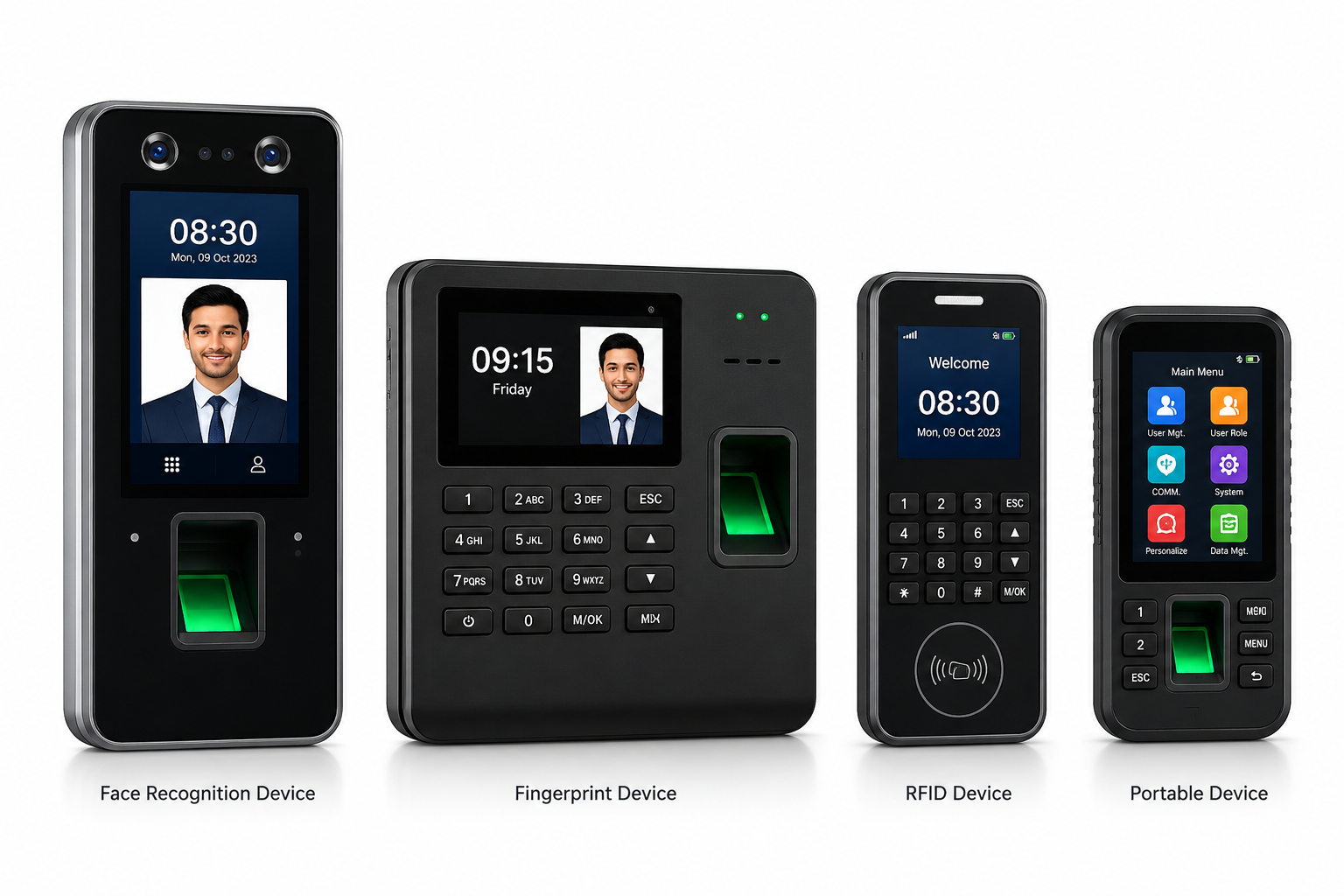
But most attendance systems were designed for a world where everyone works from one office location. Biometric machines only work where they are installed. Manual registers require physical presence. Even basic digital systems often assume employees are always in the office.
The result? Remote teams end up using unreliable workarounds — WhatsApp messages, email check-ins, self-reported Excel sheets — none of which give HR and management the accurate, real-time attendance data they need.
Mobile attendance software for remote teams solves this problem completely. Here is everything you need to know.
What are Mobile Attendance Software for Remote Teams?
Mobile attendance software is a smartphone-based system that allows remote employees to mark attendance from anywhere — their home, a co-working space, a client office, or any other location — using their phone.
Instead of requiring physical presence at a biometric machine or office location, employees simply open the mobile attendance app, verify their identity through a selfie or GPS check-in, and their attendance is automatically recorded in the central system.
Managers and HR teams see real-time attendance updates on their dashboard — regardless of where they or their team members are located.
Why Remote Teams Need Dedicated Attendance Software
The Problem with Traditional Systems
Traditional biometric attendance machines work perfectly for office-based employees. But they create serious challenges for remote teams:
Cannot Mark Attendance from Home — A biometric machine installed at the office is completely inaccessible to remote workers. Asking them to come to the office just to mark attendance defeats the purpose of remote work entirely.
No Real-Time Visibility — When remote employees send WhatsApp messages or emails to report attendance, HR has no way to verify their actual location or working status in real time.
Data Management Nightmare — Collecting attendance data from dozens or hundreds of remote employees through manual channels and then compiling it for payroll is extremely time-consuming and error-prone.
No Way to Verify Location — Without GPS verification, there is no way to confirm that remote employees are actually working from their designated location at the time they claim to be working.
Why Mobile Attendance Software Works Better
Mobile attendance software solves every one of these problems:
- Employees mark attendance from their phone — from anywhere
- GPS verification confirms their location at check-in time
- Selfie attendance prevents proxy or fake check-ins
- All data is automatically synced to the central dashboard in real time
- Payroll is calculated automatically at month end based on verified data
Key Features Remote Teams Need in a Mobile Attendance Software
1. Selfie-Based Attendance with Face Verification
The most important feature for remote team attendance is selfie-based check-in with face verification. When an employee marks attendance, they take a selfie that is automatically verified against their stored face data.
This ensures that the right person is marking attendance — not a colleague, family member, or anyone else. Combined with GPS location data, selfie attendance is one of the most reliable ways to verify remote employee attendance.
2. GPS Location Tagging
Every attendance entry should be tagged with the employee’s GPS location at the time of check-in. This gives managers and HR complete visibility over where remote employees are working from.
For businesses with approved work-from-home or designated co-working locations, geo-fencing can be configured to allow attendance only from approved zones.
3. Flexible Geo-Fencing
Unlike office-based attendance where geo-fencing is set to one location, remote team geo-fencing needs to be more flexible — allowing attendance from approved home addresses, co-working spaces, or client locations.
Good mobile attendance software allows HR to configure multiple approved locations for each employee, matching the requirements of modern remote work.
4. Real-Time Dashboard
Managers need to see live attendance status for their entire remote team — who has checked in, who has not, who is late, and where each team member is working from.
A real-time attendance dashboard that updates automatically and is accessible from any device is essential for managing remote teams effectively.
5. Shift and Schedule Management
Remote teams often work across different time zones, follow flexible schedules, or have different working patterns compared to office employees.
Good mobile attendance software for remote teams should support flexible shift configurations, allowing HR to set different schedules for different employees based on their work arrangements.
6. Leave Management from Mobile
Remote employees should be able to apply for leave, check leave balances, and receive approval notifications directly from the mobile attendance app without calling HR or sending emails.
Managers should also be able to approve or reject leave requests instantly from their phones.
7. Attendance Reports for Remote Teams
Automatic daily, weekly, and monthly attendance reports for remote teams help businesses track check-in times, locations, working hours, leaves, and attendance irregularities.
These reports help managers monitor team performance and provide HR with accurate data for payroll processing.
8. Integration with Payroll
Remote employee attendance data should directly connect with payroll calculation at month end — automatically calculating salary based on verified attendance, leaves, and overtime.
This removes the manual process of collecting attendance data from multiple sources and calculating payroll separately.
9. Works on Any Smartphone
The mobile attendance app should work on any Android or iOS smartphone without requiring any special device.
Remote employees can use their existing phones, reducing hardware costs for businesses.
10. Offline Functionality
Remote employees may sometimes work in areas with weak internet connectivity. A good attendance app should allow offline attendance marking and automatically sync data once the internet connection is restored.
Benefits of Mobile Attendance Software for Remote Teams
Complete Attendance Visibility
See exactly who in your remote team has marked attendance, who has not, and where each employee is working from — all through a real-time dashboard available on your phone or laptop.
No more chasing employees for attendance updates or collecting data manually from different sources.
Eliminate Fake Attendance
Selfie verification and GPS location tagging prevent fake attendance. Every check-in is verified through employee identity and location, giving businesses accurate attendance records.
Save HR Time
Automated attendance collection, report generation, and payroll calculation save HR teams hours of manual work every month, even with a fully remote workforce.
Better Remote Team Management
When attendance tracking is automated, managers get accurate data to manage remote teams effectively, identify attendance patterns, solve issues early, and maintain productivity without unnecessary monitoring.
Accurate Remote Payroll
Verified attendance data ensures correct payroll calculations for remote employees — reducing disputes related to working days, leaves, deductions, and overtime.
Everything is calculated based on actual attendance records.
Improved Remote Employee Experience
Remote employees get a simple and convenient way to mark attendance from their phones within seconds. The leave application and approval process also becomes faster and easier through the app.
Best Practices for Managing Remote Team Attendance
Set Clear Attendance Policies
Before implementing a mobile attendance software, establish clear policies for your remote team:
- Define core working hours that all remote employees must follow
- Specify approved work locations such as home, co-working spaces, or client locations
- Set clear expectations for check-in and check-out timings
- Establish leave application and approval processes
Clear policies combined with mobile attendance software create a structured system that keeps remote teams productive and accountable.
Configure Appropriate Geo-Fencing
Set geo-fencing zones according to your remote work structure. If employees are approved to work from home, add their home location as an approved attendance zone.
Avoid creating overly strict geo-fencing rules that do not support flexible work arrangements. A practical setup reduces employee issues and improves adoption.
Use Attendance Data for Performance Insights
Mobile attendance data is not only useful for tracking presence. Businesses can use this data to identify patterns such as employees with frequent late check-ins, teams with high absenteeism, or employees regularly working overtime.
These insights help managers make better decisions, improve workforce planning, and address attendance-related issues early.
Communicate Transparently with Your Team
When introducing mobile attendance software, clearly explain the purpose and process to your remote team.
Discuss what data is collected, how it is used, and how the system helps create accurate attendance records. Transparency builds trust and ensures smooth adoption among employees.
Why Timeexa is the Best Mobile Attendance Software for Remote Teams
Timeexa’s mobile attendance app is designed specifically to manage the challenges of remote and distributed teams across India.
Selfie Attendance with Face Verification — Employees mark attendance through a selfie that is automatically verified with stored face data, ensuring authentic attendance from any location.
GPS Location Tagging — Every attendance entry captures the employee’s exact GPS location, giving managers complete visibility of where remote employees are working from.
Flexible Geo-Fencing — Configure multiple approved work locations for employees including home addresses, co-working spaces, and client locations based on your work policies.
Real-Time Dashboard — View live attendance status of your entire remote team from any device, anywhere. Data updates automatically as employees check in.
Leave Management — Employees can apply for leave and managers can approve or reject requests directly through the mobile app.
Auto Payroll Integration — Remote attendance data connects directly with Timeexa’s payroll module for automatic and accurate salary calculation.
Works on Any Smartphone — Android or iOS, employees can use their existing smartphones without requiring any additional device.
Offline Functionality — Employees can mark attendance even without internet connectivity. Data automatically syncs once the connection is restored.
Detailed Reports — Get automatic daily, weekly, and monthly attendance reports for your remote workforce anytime from any device.
Timeexa is trusted by 5000+ businesses across India — including companies managing remote teams, hybrid workforces, and distributed field operations across multiple cities and states.
Whether your remote team has 10 employees or 1000, Timeexa’s mobile attendance software gives you complete control, real-time visibility, and confidence in your attendance data — from anywhere in the world.
Managing a remote team is challenging enough without attendance becoming an additional headache.
Book a free demo with Timeexa today and see exactly how our mobile attendance software works for remote teams — from selfie check-in to automatic payroll — with no commitment and no hidden charges.
Give your remote team the attendance system they deserve — simple, accurate, and completely mobile.
Our Products
Complete Workforce Management Solutions

Biometric Attendance System
Advanced biometric attendance solution supporting face recognition, fingerprint authentication, RFID cards, QR code attendance, and real-time cloud synchronization.
- Face Recognition Attendance
- Fingerprint Attendance
- RFID Card Support
- QR Code Attendance
- Real-Time Cloud Sync

Cloud Attendance Software
Manage employee attendance, shifts, leave, holidays, and reports securely from anywhere using our scalable cloud attendance platform.
- Multi-Company Management
- Multi-Branch Support
- Employee Self Service
- Attendance Dashboard
- Leave Management

Payroll Management Software
Automate payroll calculations, overtime management, salary processing, and payslip generation integrated directly with employee attendance data.
- Salary Automation
- Overtime Calculation
- PF & ESI Support
- Payslip Generation
- Payroll Reports

GPS Workforce Tracking
Track field employees, technicians, delivery staff, drivers, and remote teams using GPS-enabled attendance and real-time location monitoring.
- Live Location Tracking
- Geo-Fencing
- Route Monitoring
- Visit Tracking
- Mobile Attendance
Mobile Attendance App
Allow employees to mark attendance directly from mobile devices using selfie verification, GPS location tracking, and geo-fencing.
- Selfie Attendance
- Geo Attendance
- Mobile Attendance
- Leave Requests
- Attendance History

Visitor Management System
- Visitor Registration
- OTP Verification
- Visitor Pass Printing
- Employee Approval Workflow
- Reception Dashboard
INDUSTRIES WE SERVE
Solutions for Every Industry
Timeexa provides smart attendance and workforce management solutions for multiple industries and business sectors.